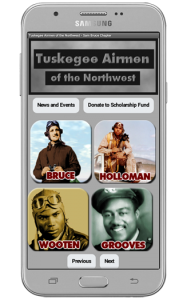
 Currently the Tuskegee Airmen of the Northwest Mobile App will only run on Android devices. It was created using the MIT App Inventor system. There may be an IOS version in the near future but this will depend on how soon the MIT App Inventor system is ported to the Apple OS.If you would like to install the App on your android phone or tablet follow instructions below.
1. On your phone go to settings then security and look for the Allow installation of apps from unknown sources option and turn this on.
2. Return to the main page of this site in your mobile web browser and click the Download APK button to download the apps apk file to your phone.
3. Either pull down the alerts window and tap on the download or go to your phones download folder in your file manager and tap on the download this will begin the installation process on your phone.
4. Open the App and enjoy the rich history about the Tuskegee Airmen of the Northwest. Shake the phone if you want to exit the presentations early.